Open source · Local-first · Self-hostable
Plan your week,
not just your tasks.
Will Be Done is a local-first task manager built around a visual weekly timeline. It works fully offline, syncs across devices, and can be self-hosted with one Docker command.
100 tasks. What are you doing this week?
No signup required for the demo · macOS · Linux · Windows
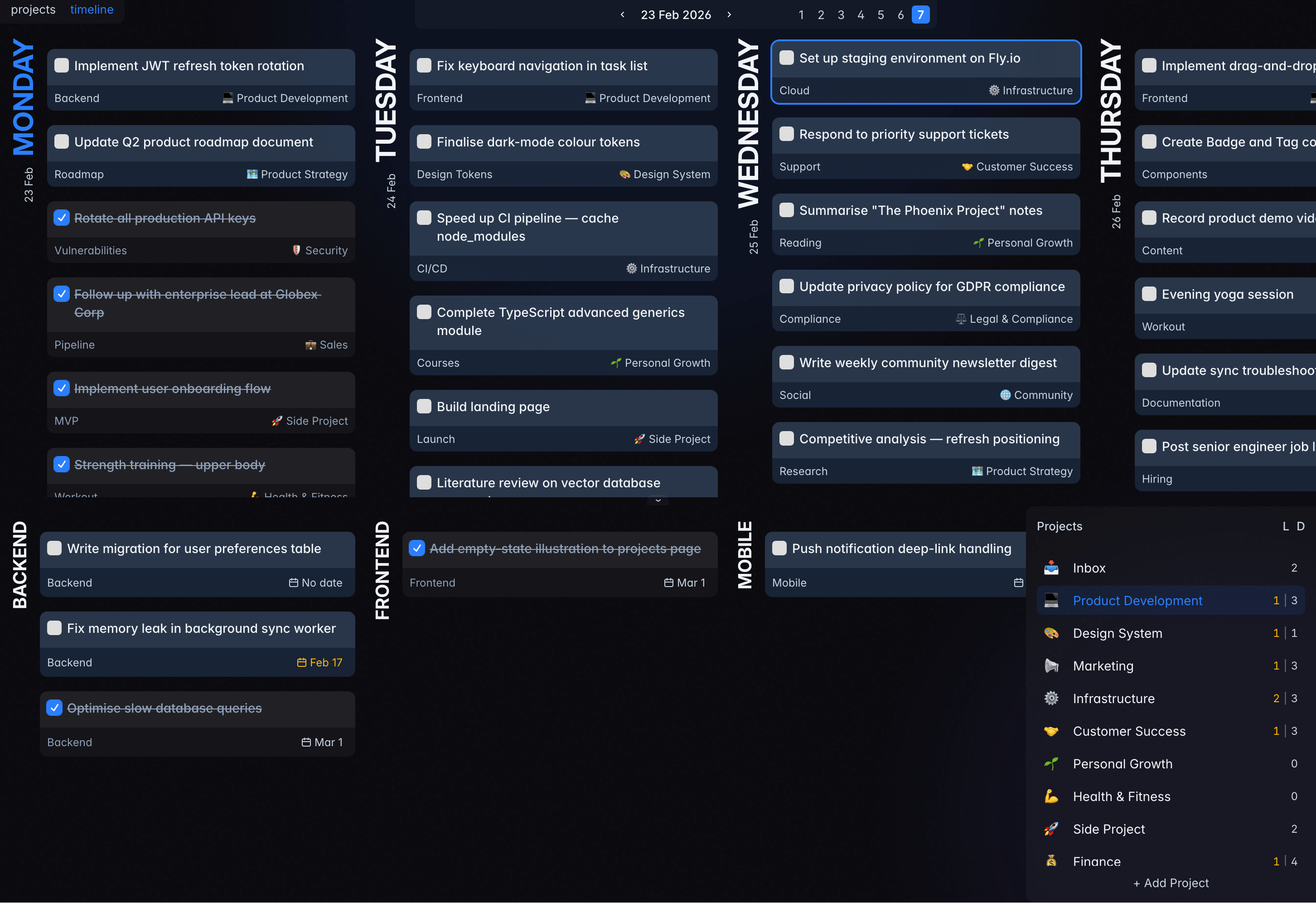
Weekly timeline: See the full week, drag tasks between any day
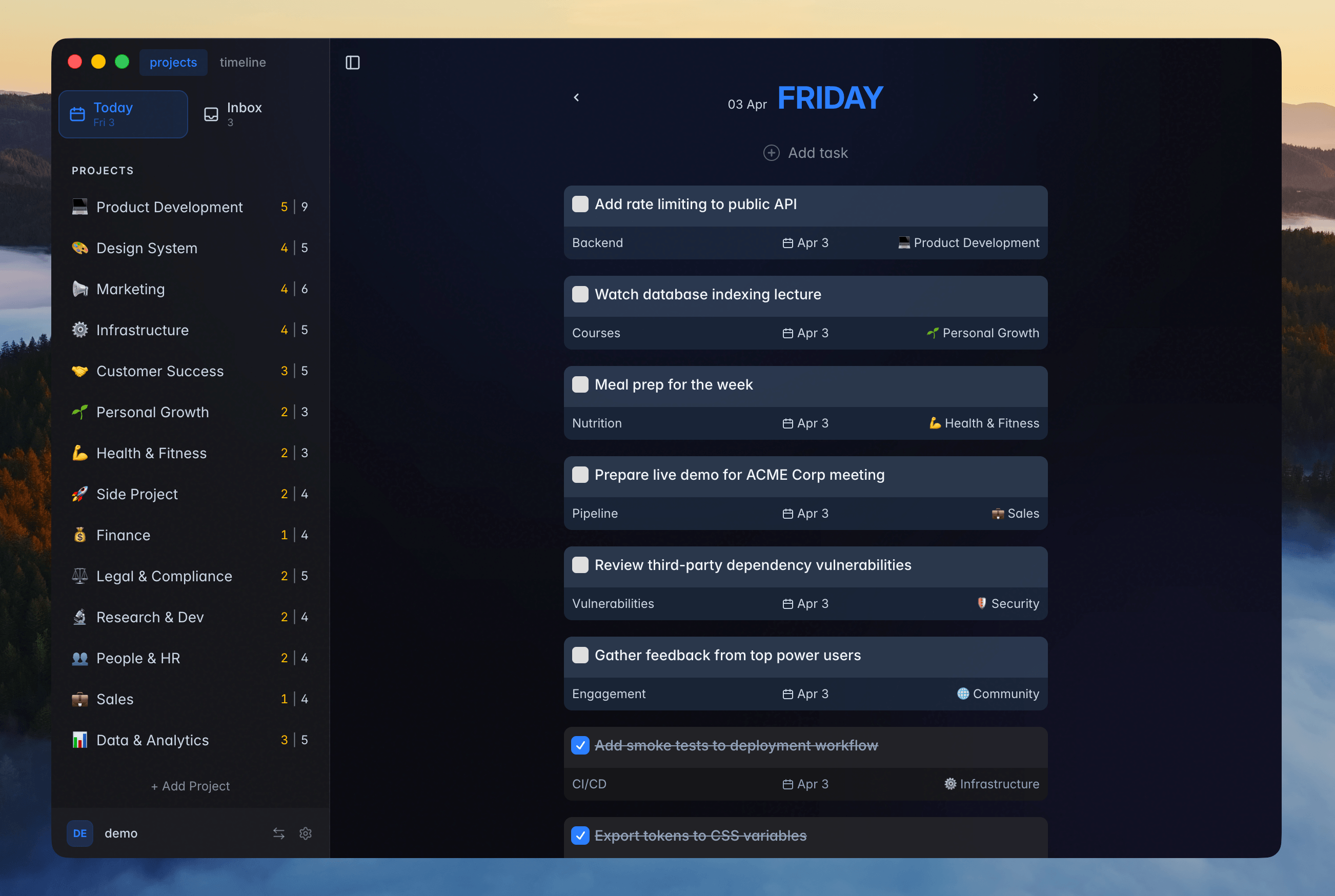
Desktop app: the whole planner in its own window
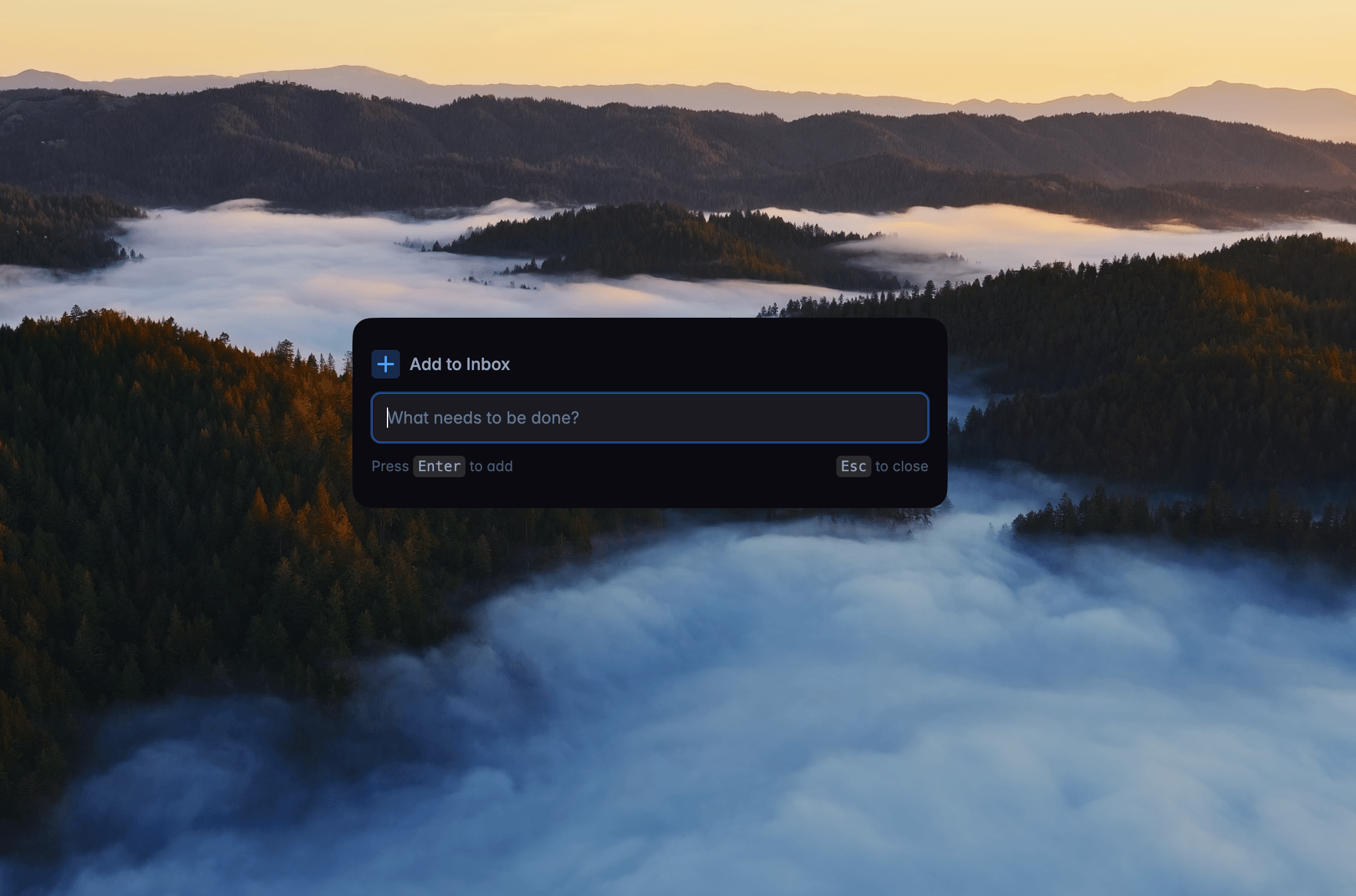
Quick add: Capture tasks instantly without breaking focus
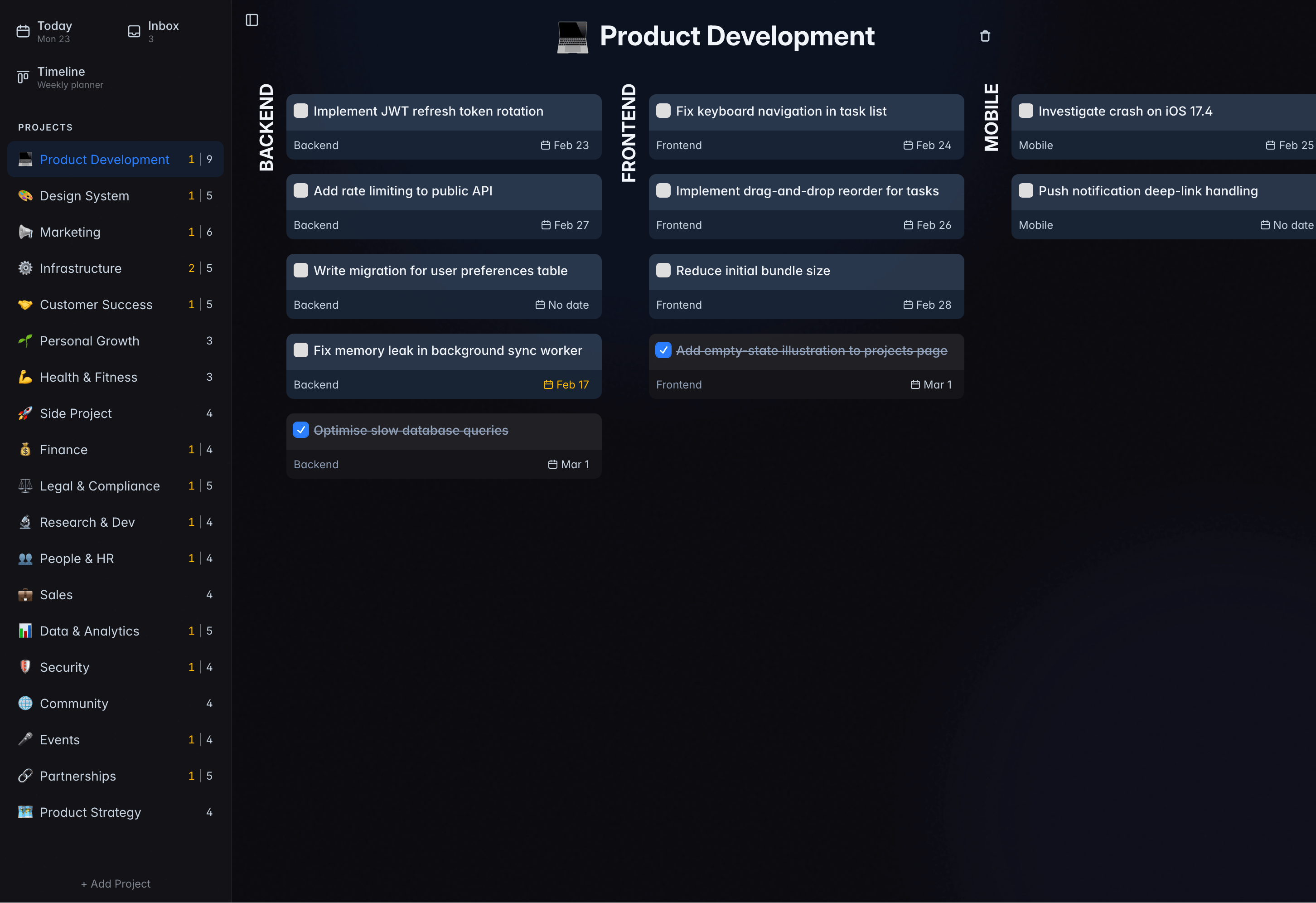
Project board: Kanban view for your project areas
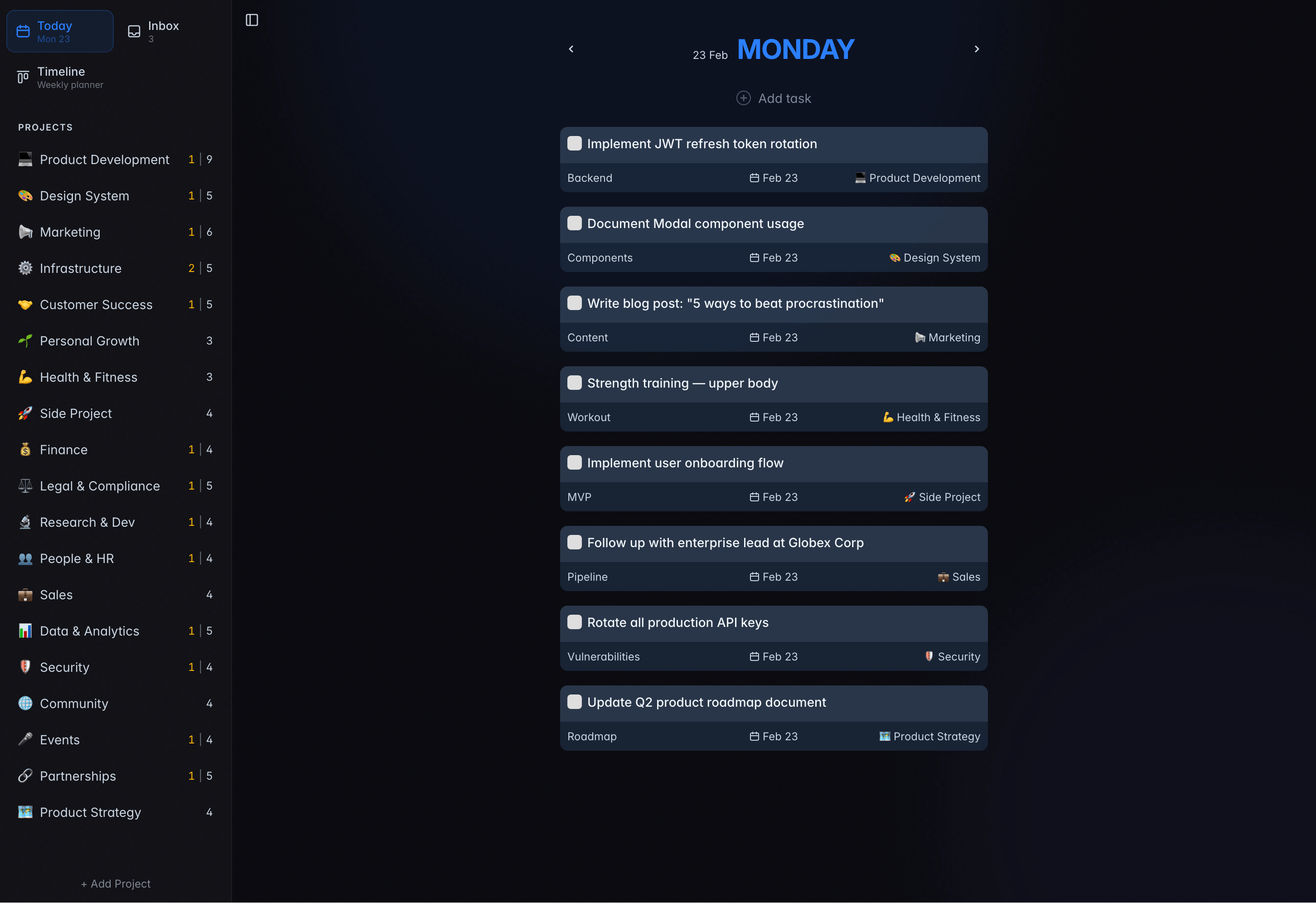
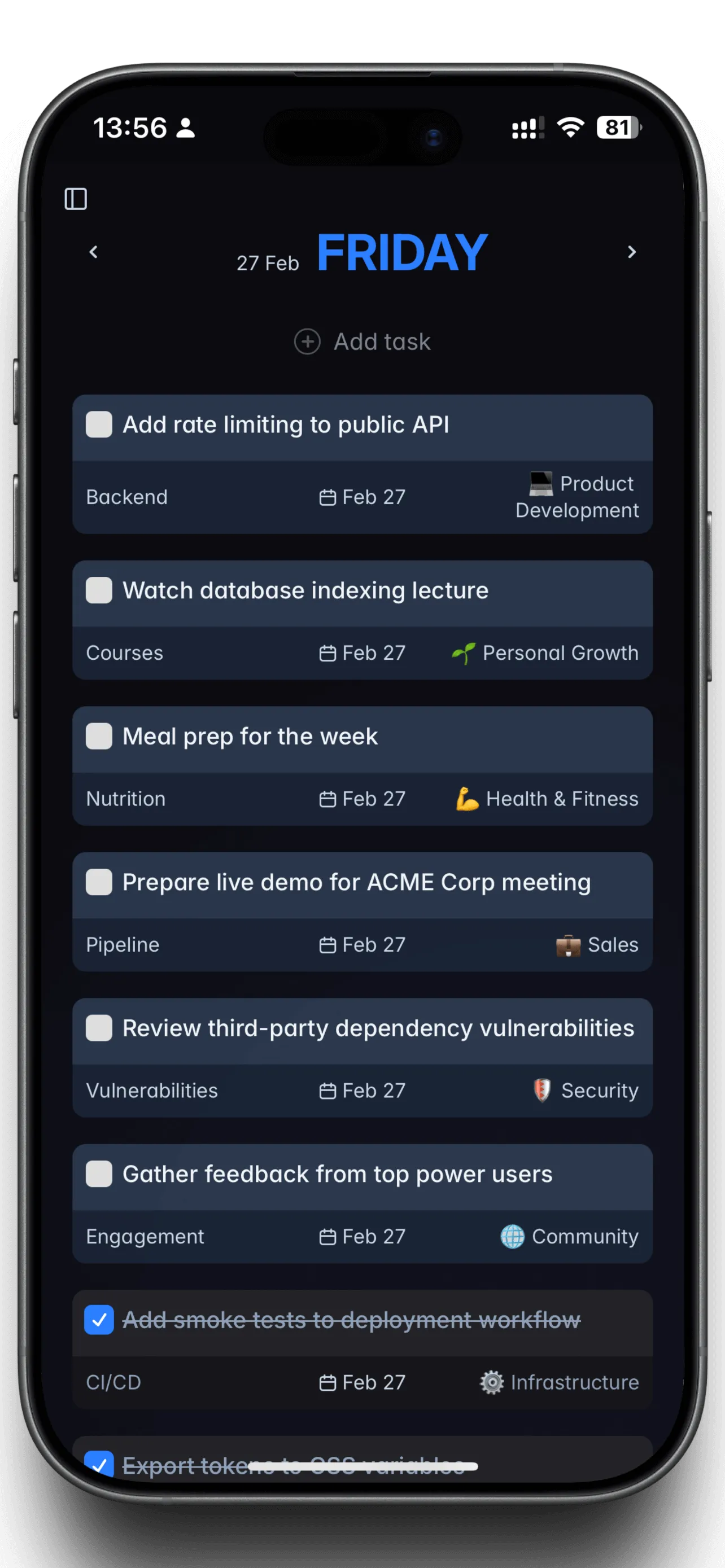
Today view: only the tasks you scheduled for today
Local-first
Full database on your device
Offline
Works with no network at all
Open source
AGPL-3.0, developed in public
Self-hosted
One Docker command, SQLite
Keyboard-first
Vim navigation, global quick add
Open source on GitHub · AGPL-3.0 · SQLite storage · Linux · macOS · Windows
Why weekly planning
Your week is the unit of planning
Most task managers revolve around Today. Miss a day and the unfinished work piles up into tomorrow, until your list is a monument to everything you didn't do.
Will Be Done keeps the whole week visible. Every day is a column, so you can see what is realistic and drag work between days as plans change. Missed tasks stay where you can see them instead of piling up as overdue.
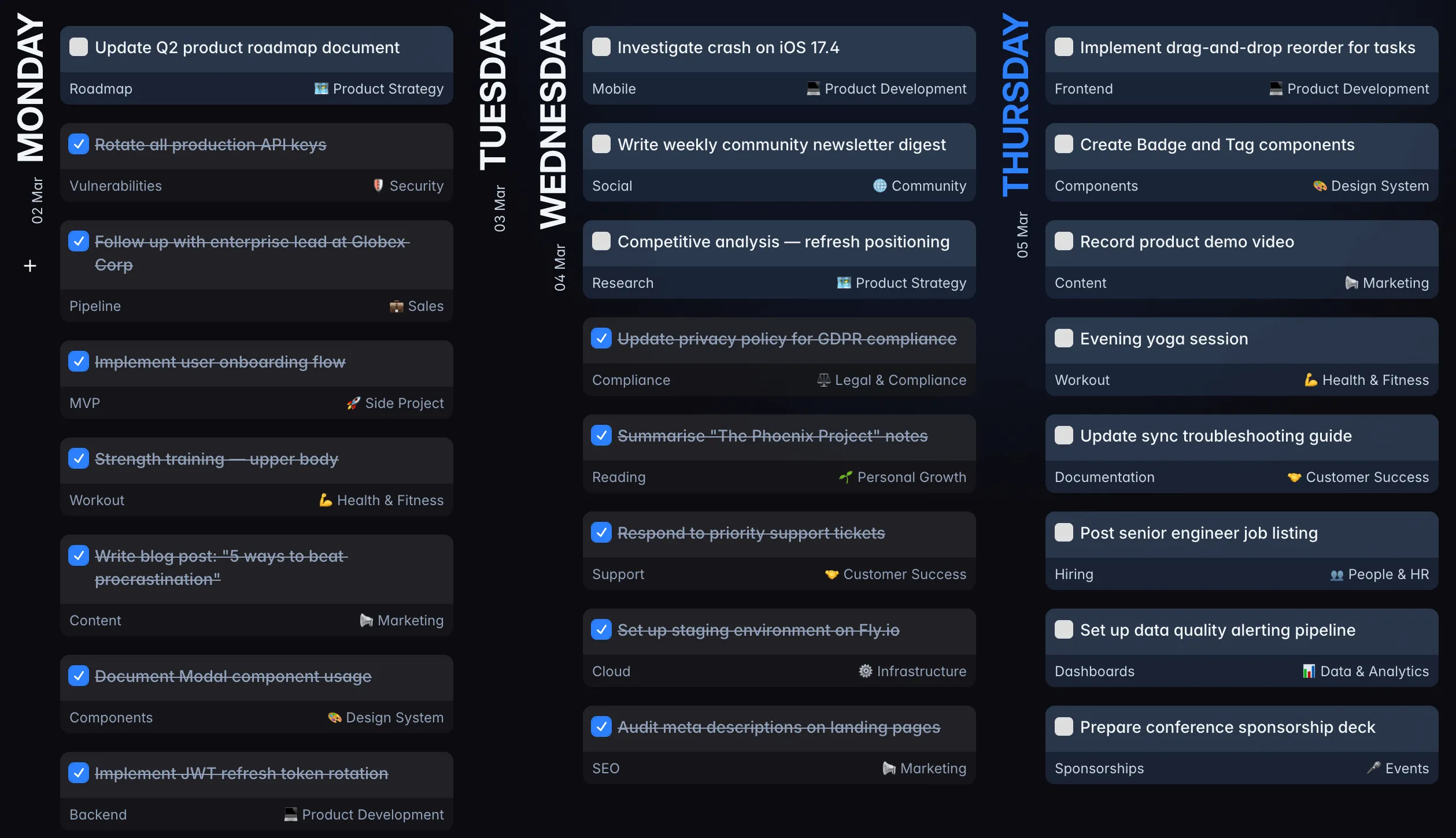
One bad day won't break your week
Skipping a day doesn't snowball. Unfinished work stays where you put it, and you rebalance the rest of the week in a couple of drags.
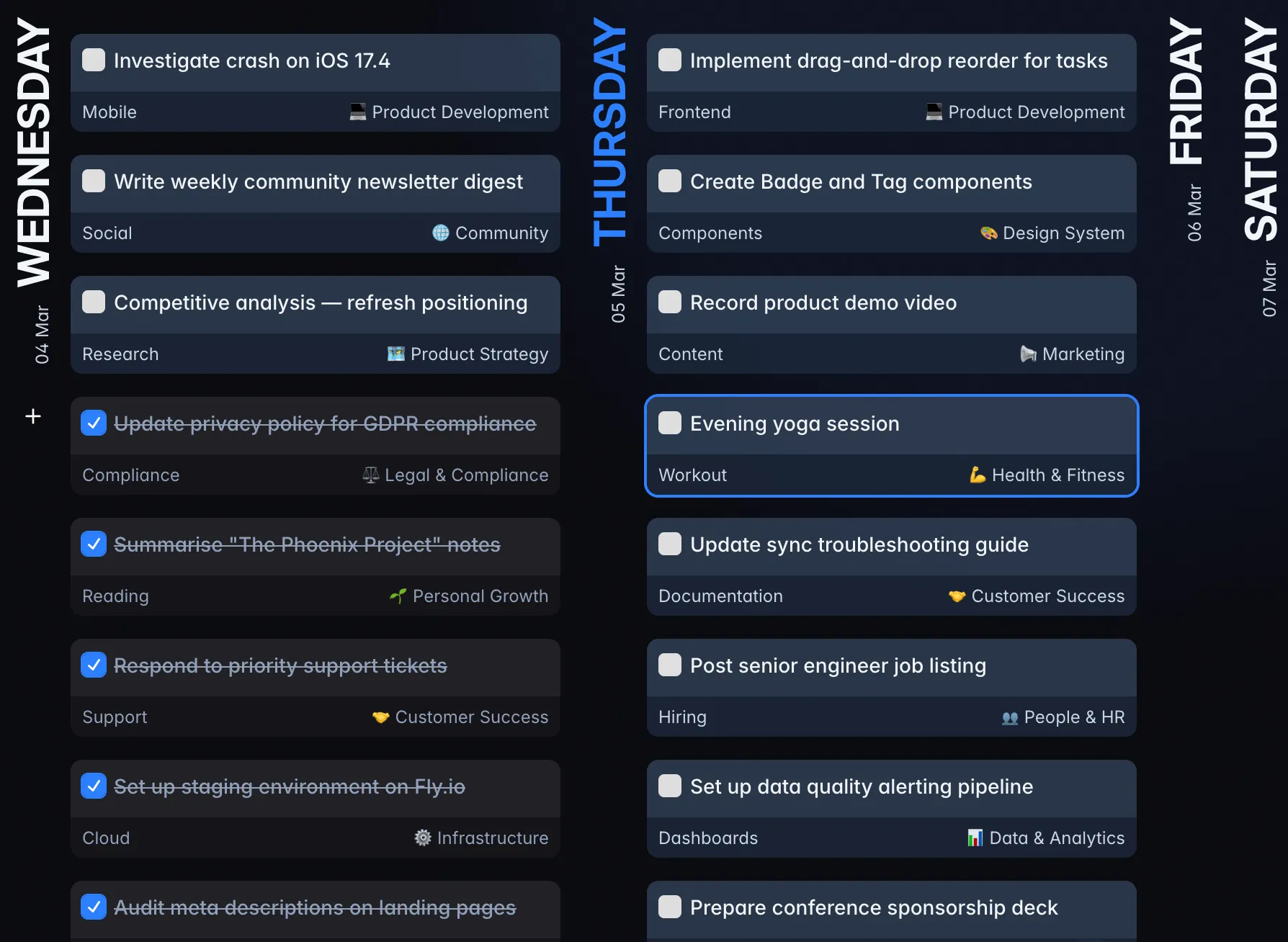
No punishment for being human
No angry red "OVERDUE" badges. A missed task gets a quiet yellow marker and stays where you left it, ready to move to another day.
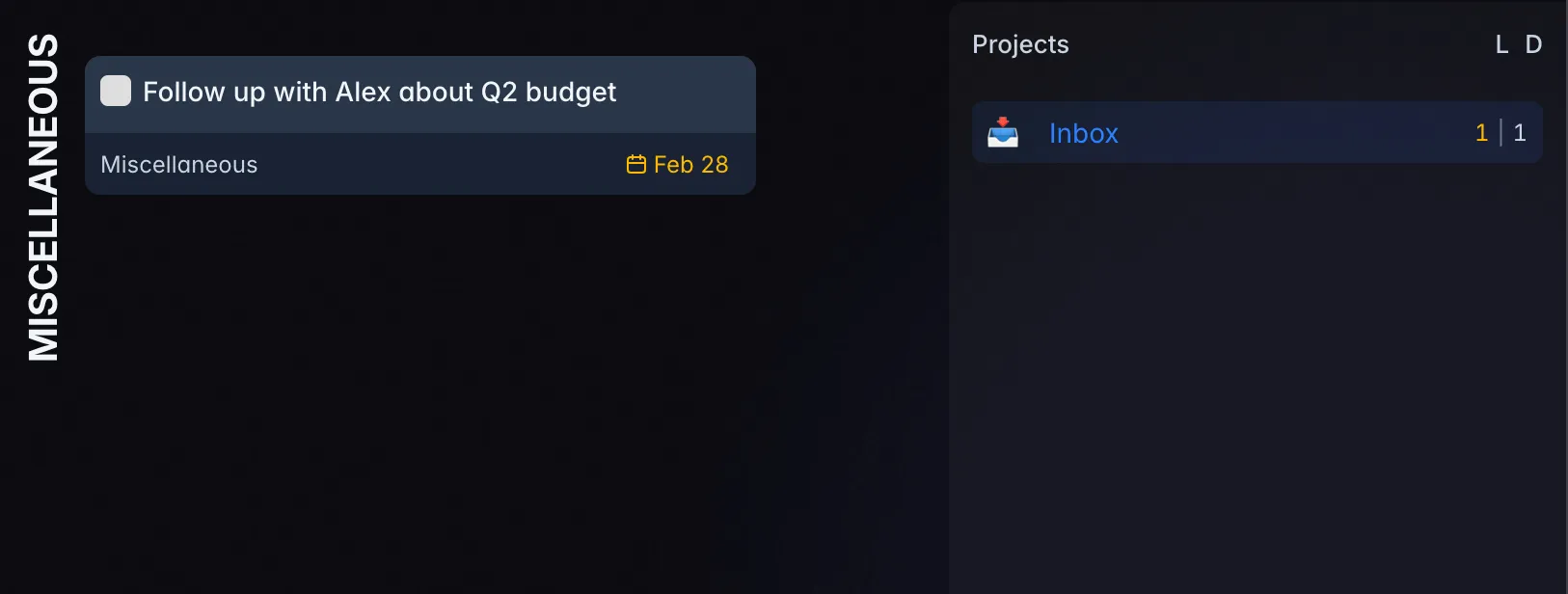

Why I built this
The task manager I want to use for the rest of my life
That sets the bar. It has to stay fast with years of task history, open without waiting on a full database load, keep working when the internet disappears, and keep my task data on hardware I control.
This is my third attempt in three years. The first two failed because the technology for genuinely fast offline-first apps wasn't ready for the experience I wanted. I have more than 10 years of development experience, including 4 years specializing in offline-first apps, and the third attempt is built on all of it.
Super Productivity came closest of the self-hosted apps I tried, but I wanted something more opinionated about weekly planning, local-first sync and Vim-style keys. So I built it.
3rd
attempt at this idea
3 yrs
of trying to get it right
10+ yrs
building software
4 yrs
on offline-first apps
Built on HyperDB
Will Be Done runs on HyperDB, the local-first database layer I wrote for it after more than two years of researching what would actually fit apps like this: offline-first, reactive, quick to start, and able to share the same typed data logic between the browser and the server.
That's why the same selectors and actions run on your device and on the sync server, and why reads come from local storage on demand instead of loading everything up front.
Local-first
Local-first, not offline-ish
Every device runs a complete local database. Opening a task, moving it across the week or creating a new one never waits for the network. The server only passes changes between your devices when there is a connection.
- No spinners. Reads and writes happen locally, so every drag and keystroke lands immediately.
- Plane mode is normal mode. The full app works with no connection, including planning and completing tasks.
- Server downtime is survivable. If your homelab is rebooting, your tasks are still there and sync catches up later.
- Built for a lifetime of tasks. Rows are read from local storage on demand instead of loading the whole database at startup, so the app opens straight into your week after years of history.
Your device
Full local database · instant reads and writes
Your server
SQLite in one Docker container · or the cloud
Your other devices
Each with its own local database
Your hands never leave the keyboard
Vim keybinds cover the whole app. Move with h/j/k/l, create tasks with o/O, complete with space, and push work to another day without reaching for the mouse.
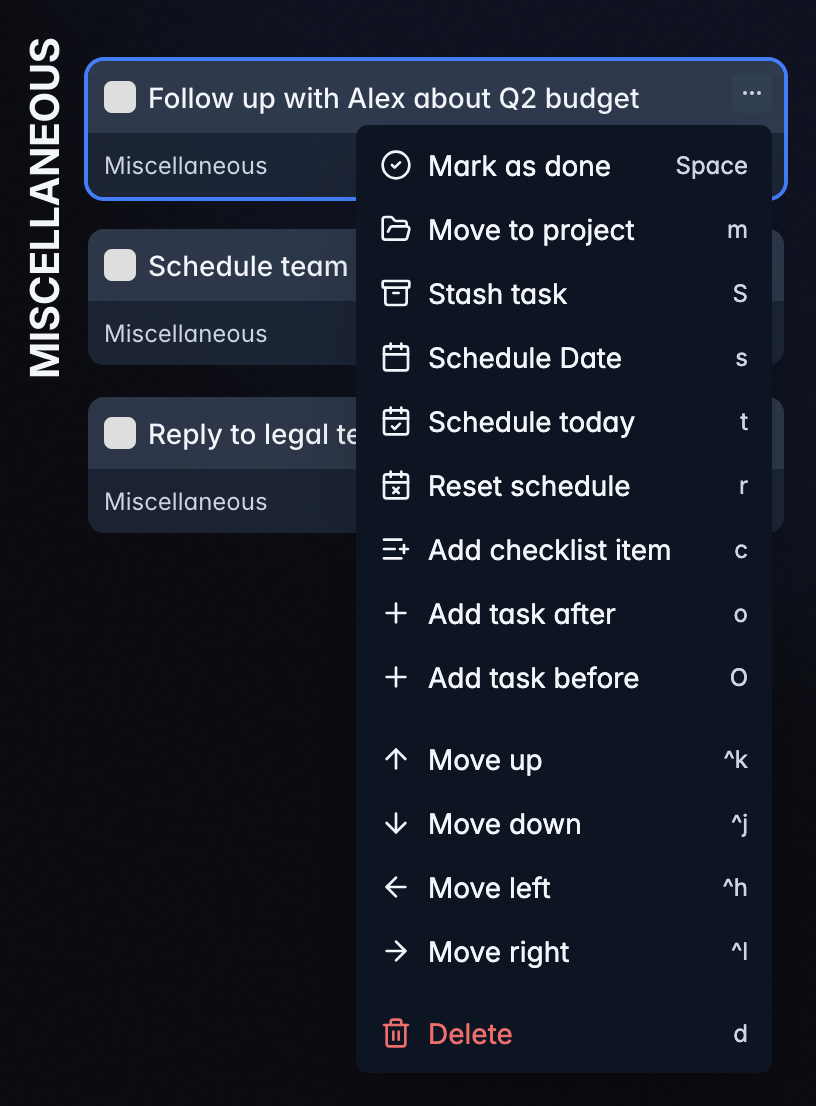
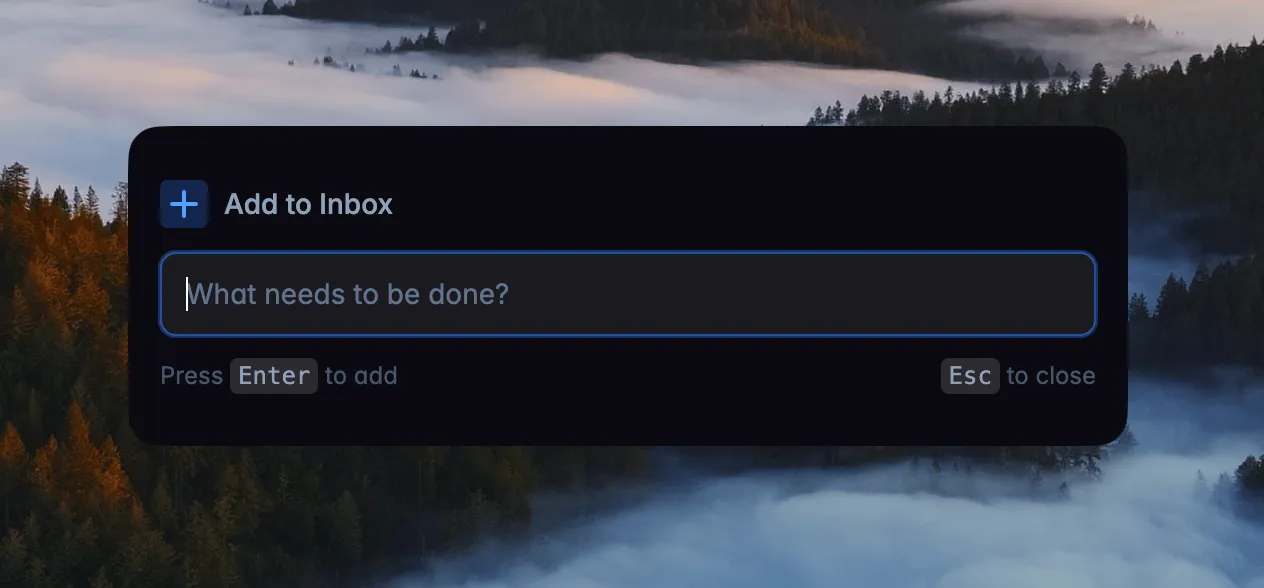
Don't break focus to capture a task
A thought surfaces mid-work. Switching apps kills your flow. One global shortcut works anywhere on your Mac, Windows or Linux machine. Type the task, hit enter, and you're back. The popup disappears. Your focus doesn't.
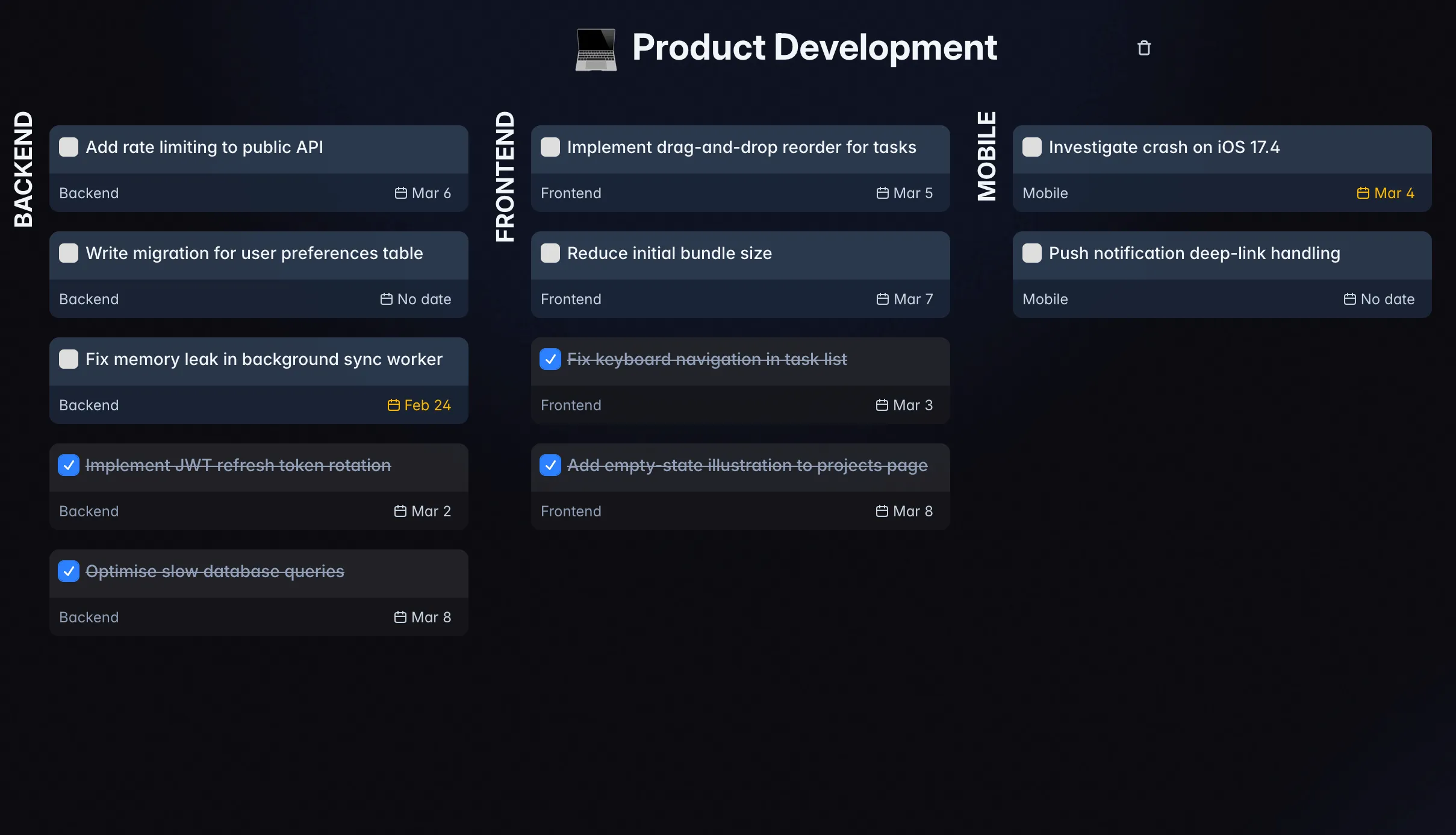
Projects for the work that outlives a week
Each project gets its own kanban board with columns you define, such as Week, Month, Ideas and Someday. Separate spaces keep work and personal apart, so an idea you are not ready for waits in Someday instead of crowding this week.
And everything else you'd expect
The interesting parts are above. The table stakes are here, and they all work.
- Recurring tasks by day of week, month or year
- Project kanban boards with your own columns
- Separate spaces for work and personal
- Today view and weekly timeline
- Stash for what you are focused on right now
- Desktop apps for Linux, macOS and Windows
- Global quick add shortcut
- Mobile-ready PWA
- Drag and drop for tasks, days and projects
- HTTP API with OpenAPI docs
- Task descriptions and checklists
- Real-time sync across tabs and devices
Coming from Todoist or TickTick?
Bring your tasks with you. Import from Todoist with an API token, or from a TickTick CSV export. Projects and tasks land straight in your spaces.
Built for people who want control
Over their week, their keyboard, and their data.
Weekly planners
See every commitment across the whole week and rebalance it in seconds.
Keyboard people
Navigate, create, schedule and complete tasks without reaching for the mouse.
Self-hosters
Run the whole service yourself: one container, SQLite, no external services.
Developers
Drive your tasks from scripts through the HTTP API. Your own instance serves the OpenAPI docs.
HTTP API
Wire your tasks into everything else
Spaces, projects, sections, tasks, checklists and schedules are all reachable over a documented HTTP API. A Telegram bot, a cron job or your own script can drop work straight into your week. Create a token in Space settings → Tokens and send it as a bearer token.
# List your spaces
$ curl https://app.will-be-done.app/api/v1/spaces \
    -H "Authorization: Bearer $WBD_TOKEN"

# Drop a task straight into your stash
$ curl -X POST \
    ".../api/v1/spaces/$SPACE_ID/stash/tasks" \
    -H "Authorization: Bearer $WBD_TOKEN" \
    -H "Content-Type: application/json" \
-d '{"title": "Reply to the Q2 thread"}'One command to own your data
Run it on your own server. No third-party services, no cloud account, no tracking. Just a Docker container, and the only login is the one you create on your own instance.
- SQLite database you can back up by copying one file
- Local-first: full database in the browser, works offline even when your homelab is not available
- Separate spaces for work and personal
$ docker run -d \
  -p 3000:3000 \
  -v will_be_done:/var/lib/will-be-done \
  --restart unless-stopped \
  ghcr.io/will-be-done/will-be-done:latest

✓ Running at http://localhost:3000Open source
If you don't like something, fork it.
$ gh repo fork will-be-done/will-be-done --clone
✓ Cloned will-be-done into ./will-be-done
$ cd will-be-done && pnpm install
✓ Dependencies installed
$ pnpm all
▲ Will Be Done dev server → http://localhost:5173
$ -
Change the UI. Restyle every surface to match your taste.
-
Bend the workflow. Add the views, shortcuts and integrations you wish it had.
-
Ship your own build. Self-host it, or run your fork on your own hardware forever.
AGPL-3.0 licensed · TypeScript, React, SQLite
PS: thanks Theo for this promo idea.
Frequently asked questions
Is Will Be Done open source?
Yes. The whole thing is licensed under AGPL-3.0 and developed in the open on GitHub: web app, desktop app, sync server and API.
Does Will Be Done work completely offline?
Yes. Every device keeps a full local database, so you can read tasks, create them, complete them and move them around your week with no network at all. Changes sync once you are back online.
Can I self-host it?
Yes, with one Docker container. It stores data in SQLite on a volume you control, needs no external services, and serves the web app plus the API from the same port.
Where is my data stored?
A copy lives locally on every device you use, and the synced copy lives on whichever server you choose: your own Docker container, which keeps SQLite under /var/lib/will-be-done, or the hosted cloud.
Do I need an account?
Not for the live demo. It runs entirely in your browser with no signup. You need an account only to sync across devices, either on the cloud or on your own server.
Is there a cloud version?
Yes. app.will-be-done.app is free to start. Use it if you want sync across devices without running a server yourself.
How will Will Be Done make money?
The hosted cloud version will make money through paid plans. Self-hosting will never have a paywall, and no feature in the self-hosted version will require payment to Will Be Done. The self-hosted version will have the same features as the cloud unless a cloud feature cannot reasonably run without hosted infrastructure. In those cases, I will provide a self-hosted alternative when possible. For example, a self-hosted AI assistant will let you use your own OpenRouter API key. I will also keep the self-hosted infrastructure as simple as I can. The standard setup will use SQLite and a directory for uploaded attachments. It will not require Redis, an external database service or S3.
What happens if my self-hosted server goes offline?
The app keeps working. Reads and writes hit your local database, and the app sends pending changes the moment the server comes back.
What happens if I edit the same task on two devices while offline?
Both devices keep working, and they merge their changes field by field once they reconnect, with the last write winning. Say your phone is offline on the train and you rename a task to "Draft Q2 budget", then ten minutes later you rename the same task to "Draft Q2 budget deck" on your desktop: once both sync, the title is the desktop one, because it was edited later. Ordering comes from a hybrid logical clock rather than who reconnects first, so a stale edit uploaded later does not overwrite a newer one.
Does a conflict ever lose my other changes?
Only the specific field that both devices changed is resolved that way. Because the merge is per field rather than per task, edits to different fields survive together: if your phone renamed a task while your desktop moved it to Thursday, you end up with the new title and the new day. Deletes are the one-way case: a deleted task stays deleted rather than being resurrected by an edit from another device.
Can I import my tasks from Todoist or TickTick?
Yes. Todoist imports through an API token you paste into Will Be Done, and TickTick imports from its CSV export. Both bring your projects and tasks into the space you choose.
Is there a mobile app?
Mobile today is a mobile-ready PWA you install to your home screen. It is a real mobile UI, not a shrunken desktop layout. App store builds are on the roadmap, and they will package this same web app for iOS and Android rather than being a separate native rewrite.
Can I share projects or use it with a team?
No. Will Be Done is a single-user planner. Multi-user spaces and shared tasks or projects are not planned for now, so treat it as a personal tool rather than a team tracker.
Can I schedule a task for a specific time of day?
No. You schedule tasks to days, not to times, because the app plans a week rather than fills a calendar. Time-of-day scheduling is not planned for now.
Is my data end-to-end encrypted?
Not today. The data sits locally on your devices and on the server you sync with, which can be your own machine. End-to-end encryption is on the roadmap but is not implemented yet.
Your tasks. Your week. Your server if you want it.
Try the demo without an account, or start free in the cloud.
Prefer your own server? Self-host with Docker →